
Kanban board + calendar
Plan it on a board. See it on your calendar.
KanPlan is a kanban board where every card can live on a calendar — including the one already on your phone. One place for projects, errands, and everything that repeats.
Free during beta · No credit card
Your whole life, organized in columns
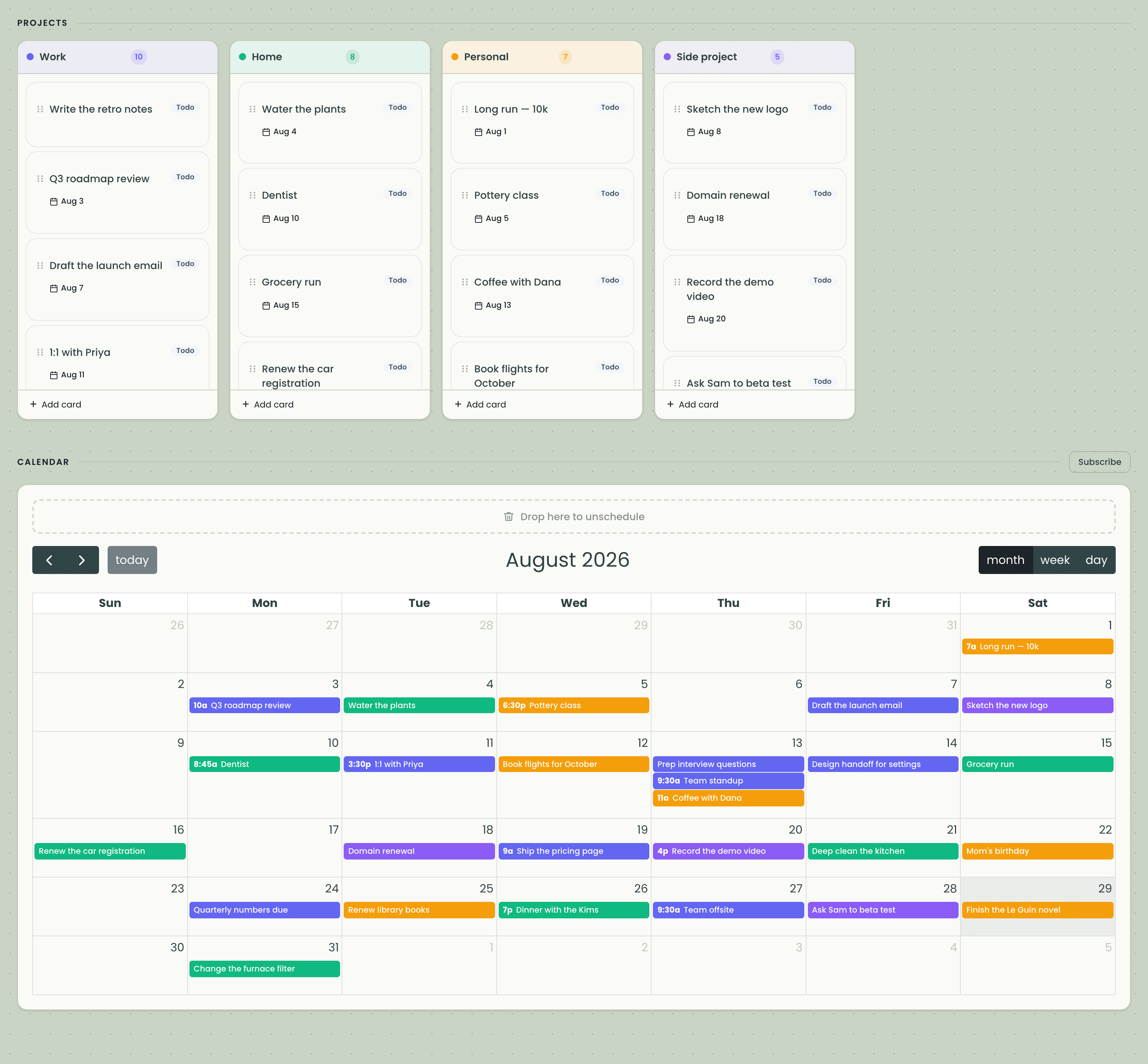
To-do apps forget the calendar. Calendar apps forget the backlog. KanPlan is both, so nothing falls between them.
A column for every project
Each project is a kanban board column with its own color. Drag cards between projects, reorder them, and always know what's on your plate.
A calendar that fills itself in
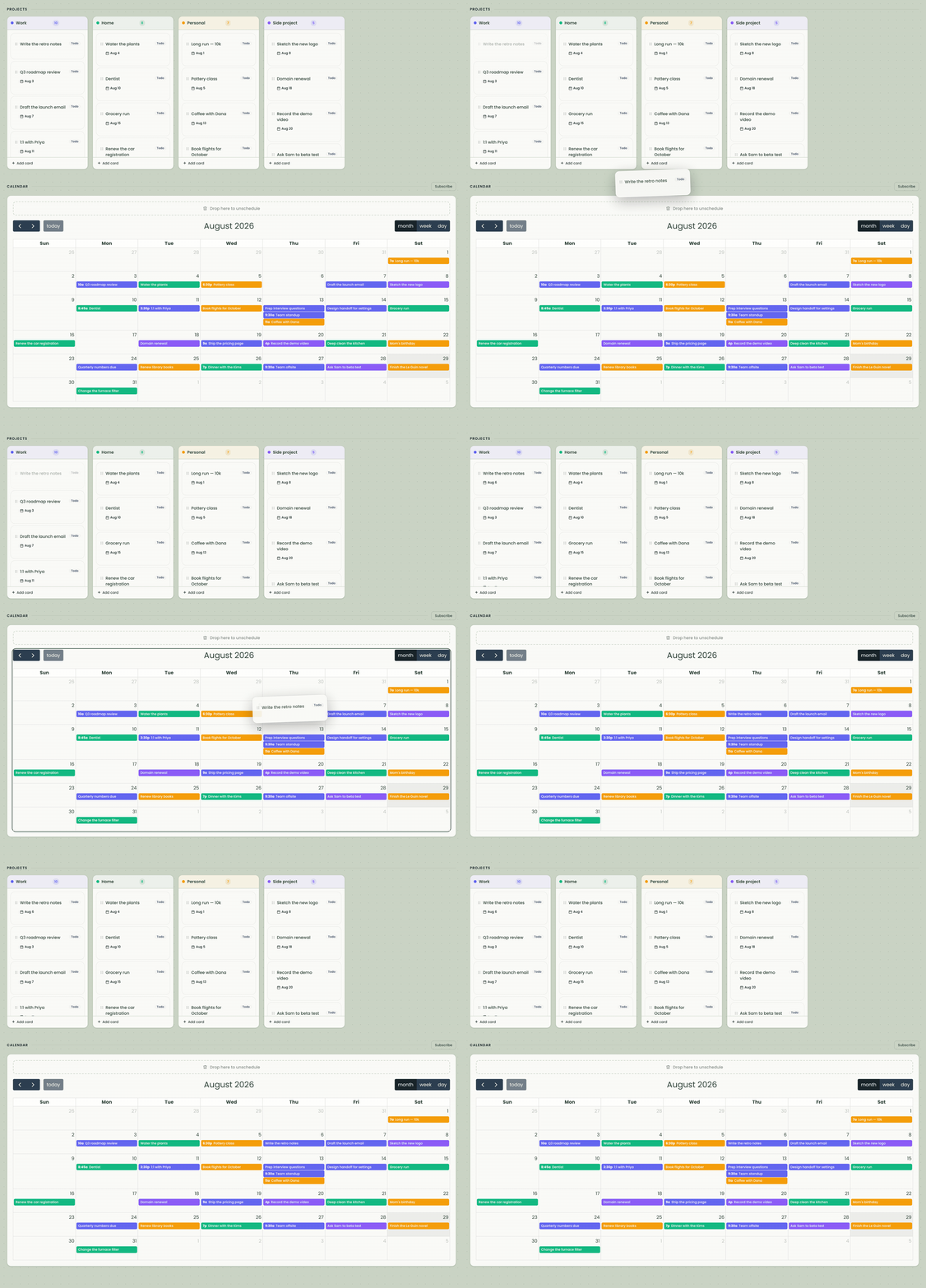
Give a card a date and it appears on the built-in calendar automatically. No copying tasks into a separate calendar ever again.
Recurring cards
Water the plants every Monday, invoice on the 1st, gym three times a week. Set the rule once and KanPlan keeps the cards coming.
Lives in the calendar you already use
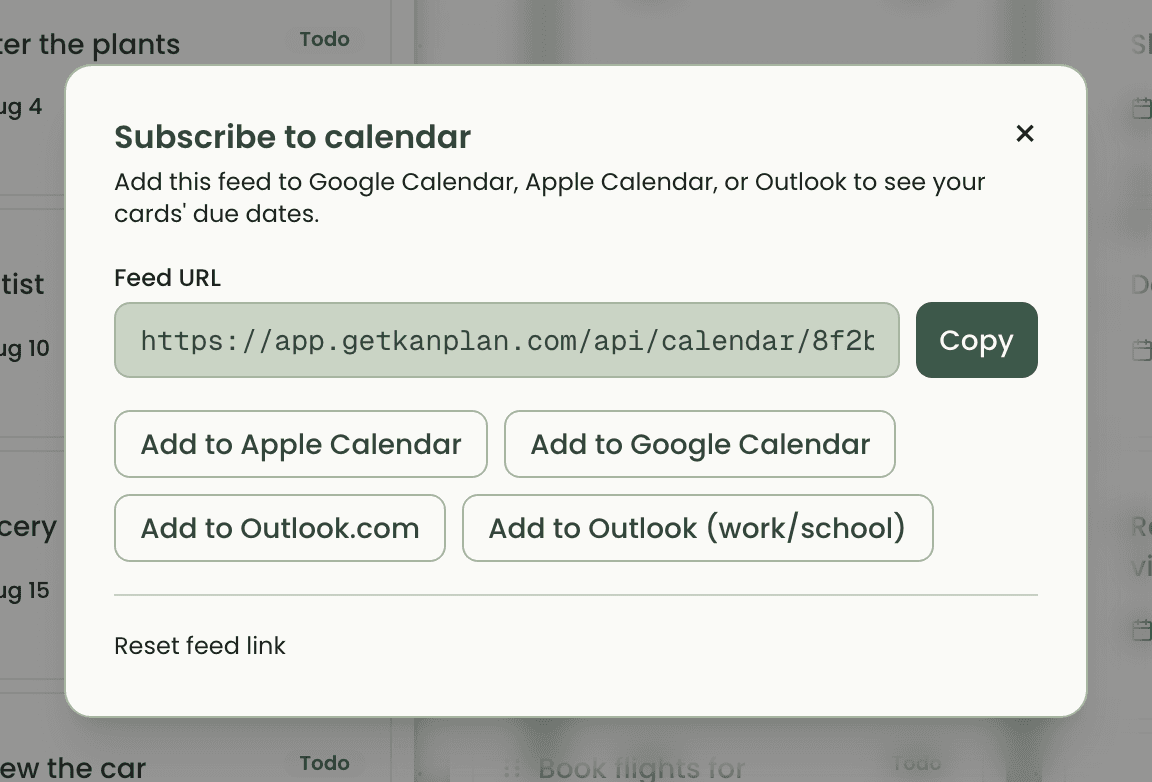
Subscribe from Google Calendar, Apple Calendar, or Outlook with a private feed. Your cards show up on your phone next to everything else in your life.
Fast enough to think with
Drag, drop, edit, done. Every change lands instantly — no spinners between you and an organized week.
Easy on the eyes
A calm, warm design with a proper dark mode. Planning your week shouldn't feel like filing a report.
How it works
Create your projects
Work, home, kids, that side thing you swear you'll finish — each one gets a column and a color.
Add cards and give them dates
A card can be a task, an errand, or an event. Date it, or give it a repeat rule and let KanPlan do the remembering.
Watch your week assemble itself
Everything with a date lands on the calendar in KanPlan — a week that starts on whatever day you say it does, with mornings that begin at your hour, not the default one.
It follows you to the calendar you already check
One private link subscribes Google Calendar, Apple Calendar, or Outlook to your board. Your dated cards — recurring ones included — show up alongside meetings and birthdays, and stay in sync as you move things around.
The feed is yours alone, and you can rotate the link any time from settings.
Pricing
Beta
Free
Everything included while KanPlan is in beta — unlimited projects, cards, and calendar feeds. Paid plans will arrive later, and beta users will hear about it first.
Stop copying your to-do list into your calendar
Set up your first board in under a minute. Your week will thank you.